
프로젝트 목록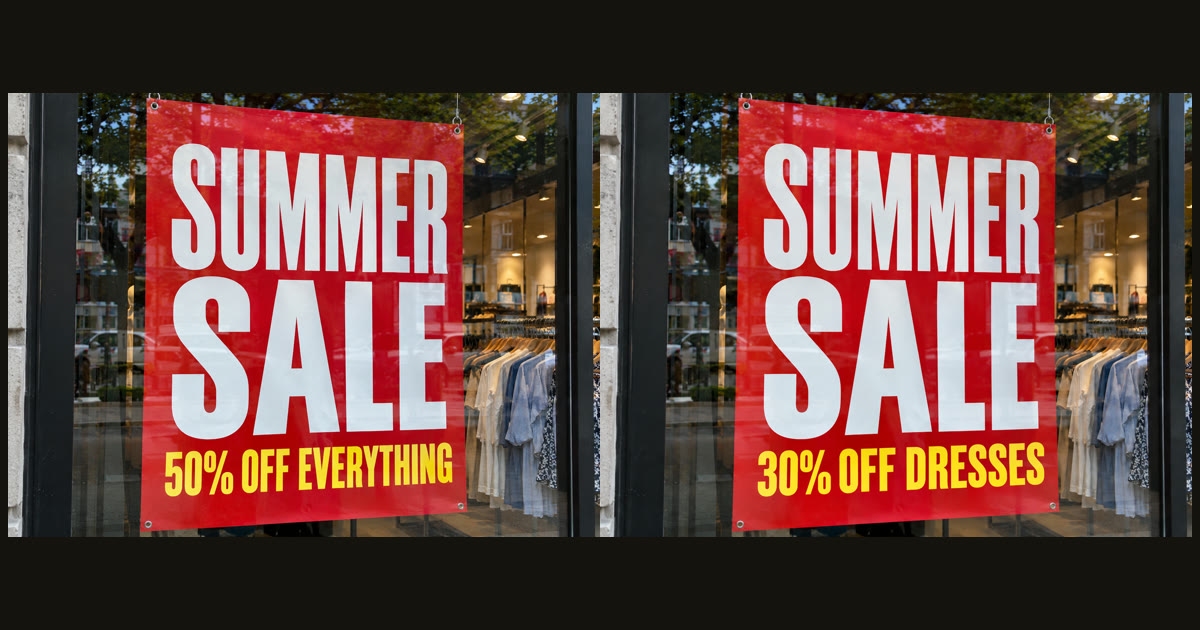
Edit text that is already part of a photograph, matching the original lettering.
사용해보기 ↗무엇인지
Edit Photo Text AI edits text that is already part of a photograph rather than adding a new caption on top. Upload a JPG, PNG or WebP up to 10 MB, type the words as they appear and what they should say instead, and the editor rewrites those words in a similar font, color, size and position.
어떤 문제를 푸는지
Printed dates, phone numbers and headlines on posters, store signs and flyers go out of date, and reprinting or reshooting takes time. A photo editor that rewrites the existing lettering lets someone update the words without a new print run.
누구를 위한 것인지
Shop owners, event organizers and anyone who needs to correct text that was already photographed.
추천


댓글
댓글과 피드백
What I liked: "Try the sample poster" fills both fields ("50% OFF EVERYTHING" → "30% OFF DRESSES"), so I got the flow at once. The "Use a design tool when you have the source file" note is honest.
"First edit free" hides the account step
Repro: the editor header says "First edit free · then $0.50 an edit"; "Every account gets one free edit" appears only lower down and on /pricing.
Suggestion: "First edit free with a free account" next to the button.
The boarding-pass example clashes with your own rule
Repro: an example edits "GATE 22" → "GATE 31" on a boarding pass, yet the page says "Do not edit IDs, receipts, certificates or contracts". Reviewers may flag it.
Suggestion: use a price tag; add tickets to that list.
Vibeollio title is a task, not your name
Repro: the listing is "swap a date on a photographed event flyer".
Suggestion: reply and we'll rename it "Edit Photo Text AI".
(Didn't upload or edit.)